
odeteAvailable now

MINI PROFILE
Your next space
Designer · maker · curious

A native IDE for iPhone and iPad
A native IDE with editor, Git, terminal, npm and preview on-device; the agent connects to the AI provider you choose.
iPhone and iPad · iOS / iPadOS 26+

From sketch to screen
Build a card, tune its properties, and see the same state reflected in the preview and code.
Your next space
Designer · maker · curious
This is an interactive web experiment on this site, not the native IDE. Real Odete screenshots are directly below.
How preview worksInside the project
Move between contexts without leaving the project: write, inspect changes and see the result.
 Odete IDEON DEVICE
Clone, stage, commit, branch, merge, stash and review pull requests over HTTPS, inside the project.
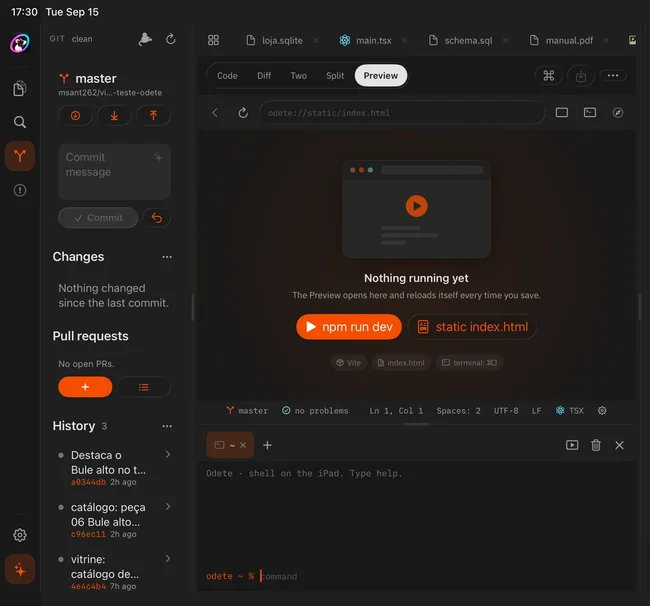
Adopt a folder from Files or clone a repository over HTTPS.
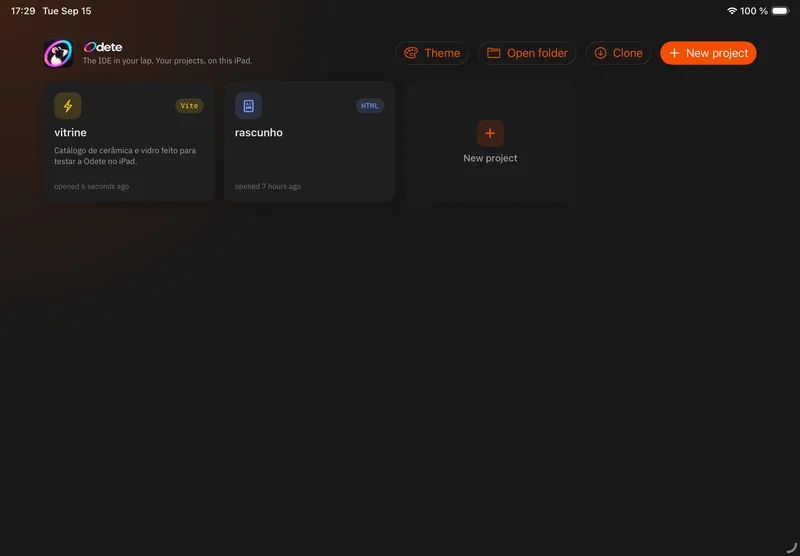
A native interface for opening an idea on your phone and going deeper on iPad.
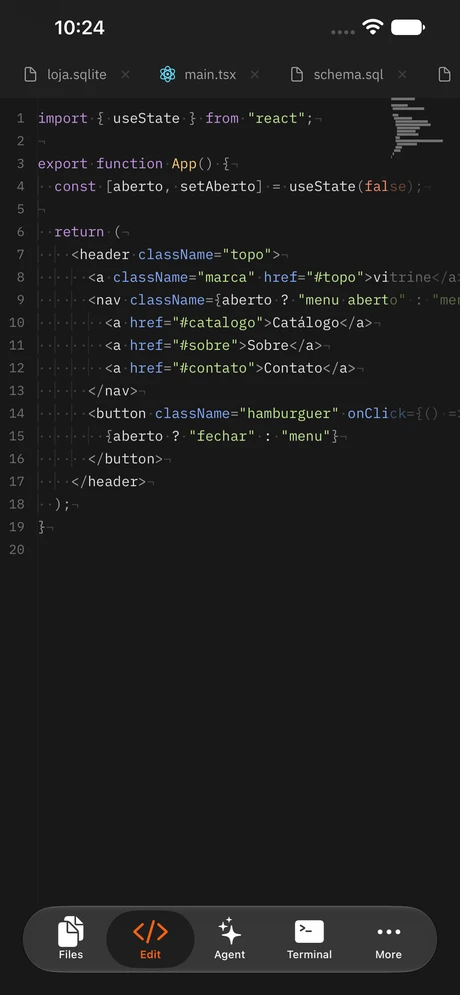
Tools that follow your thinking
Every pane works on the same local project, with history and state close at hand.
Syntax highlighting, autocomplete, tabs, diffs and Git gutter marks keep every edit in context.
Clone, stage, commit, branch, merge, stash and review pull requests over HTTPS, inside the project.
A local shell with pipes, jobs, git, npm, npx and a Node-compatible runtime.
A local development server in a pane that reloads on save, with a console and responsive viewports.
Coding agent
Bring your own provider to read files, run commands and propose patches. A request leaves the device only when you start it.
Calls may send context and code to the provider you choose; credentials stay in Keychain. Conversation history remains stored locally.
Odete / AgentReads the project and answers without changing files.
Organizes the work in a saved plan without editing code.
Edits through reviewable patches, with a checkpoint before each turn.
Your workflow
Adopt a folder from Files or clone a repository over HTTPS.
Install dependencies, run the development server on-device and follow the live preview.
Inspect hunks, shape the message, review the diff and push when you decide.
Frequently asked
A native SwiftUI IDE for iPhone and iPad. The editor, Git, terminal, npm, preview and agent work on the same local project.
Odete requires an iPhone or iPad running iOS/iPadOS 26 or later. iPad offers a multi-panel workspace, while iPhone uses compact navigation.
Editing, local commits and projects with dependencies already available work offline. Package downloads, remote dependencies, GitHub operations and AI providers require a connection.
The runtime is Node-compatible and built on JavaScriptCore: it is not full Node and does not support native addons. Vite works in dev/build/preview; Astro and Next are dev-mode only. There is no Swift compiler; Preview interprets a subset of SwiftUI.
Your message may send context, code and requested output directly to the provider you choose — Anthropic, OpenAI, xAI or a compatible endpoint. Conversation history stays on-device; credentials stay in Keychain.
The source code and instructions for building Odete are available on GitHub. Follow the repository for updates about app distribution.
Let’s talk
A question, an idea for Odete or a partnership. This space is yours.

Take your work with you
Open the project, make the change and review the result where the idea appeared.